Creating a Modern Version of the Kaossilator 2 Manual
I recently bought a kaossilator 2, a music synthesizer by Korg. It is played via a touchpad, making it incredibly portable and versatile. I’ve enjoyed using it, but there is one small annoyance: the manual.
The manual primarily exists as a printed booklet which is kind of annoying to use, because the only way to read it is to fold it out into a huge poster (you probably know what I mean, right?).
It is quite easy to find a PDF of this manual on Korg’s website, but using it has its own annoyances. Because it is a PDF, it is “identical” to the physical booklet so it’s not optimised for screens. For example, the pages I’m interested in (the English version) are the second half of page 2, the first half of page 3, the top quarter of page 4, and page 5.
The manual itself has quite a complicated layout, but this is a constraint of the form of the printed manual, not of the content. Most of the content is simple so I had a good feeling I could just transcribe it to markdown. The most complicated figures are 2 tables: the “program list” and the “scale list”. These are pretty self-explanatory: the program list describes all instruments and sounds the kaossilator supports, the scale list describes all built-in scales. For example, this is the program list in the PDF:
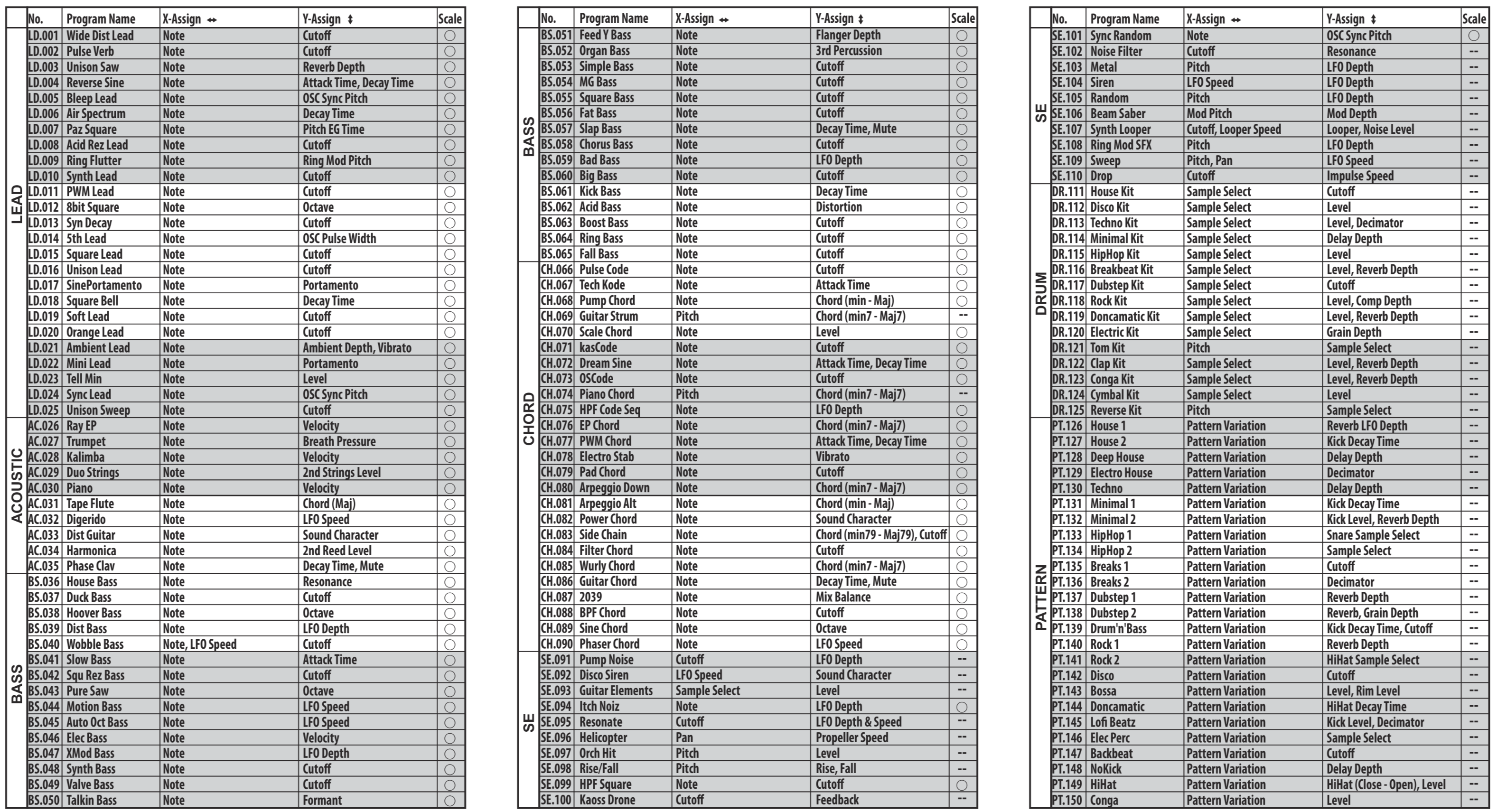
Screenshot of the original table in the PDF
This table is quite long and complicated, so I wasn’t sure how to get it out. Copying out the built-in text destroys the formatting information. I could try to transform the extracted plaintext via “classical” text processing (e.g. RegEx, tr, block editing in vim) but that seemed quite tedious and error-prone.
As an alternative I wanted to try an AI tool since I’ve always been a bit disappointed by “classical” OCR. After some searching I found PaddleOCR. I threw in one page of the PDF with the first table and was stunned by the great result it gave me.
Don’t get me wrong; it is by no means perfect. There are some small problems with these tables. Some elements are not transcribed correctly: the arrows on Y-Assign are horizontal, the scale marker is filled for some elements, the double-minus gets converted into an em-dash. These are small problems that are quite easy to fix. More annoyingly, the tables are in HTML. I’m assuming this is because the table is quite complicated and PaddleOCR does not really know how to represent those elements in a markdown table and therefore tries to approximate the table visually which can only be done via HTML. In this case, I don’t care about the look of the table at all. I just want to transport all of the information that was in the original table, so a markdown table makes more sense. Luckily it is quite easy to create a markdown table from an HTML table with the venerable pandoc. Since the table is quite simple I was confident it would work well. After converting them, the tables looked like this:
|      |        |                |            |                         |       |
|:----:|:------:|:--------------:|:----------:|:-----------------------:|:-----:|
|      |  No.   |  Program Name  | X-Assign ↔ |       Y-Assign ↔        | Scale |
| LEAD | LD.001 | Wide Dist Lead |    Note    |         Cutoff          |   ○   |
|      | LD.002 |   Pulse Verb   |    Note    |         Cutoff          |   ○   |
|      | LD.003 |   Unison Saw   |    Note    |      Reverb Depth       |   ○   |
|      | LD.004 |  Reverse Sine  |    Note    | Attack Time, Decay Time |   ○   |
|      | LD.005 |   Bleep Lead   |    Note    |     OSC Sync Pitch      |   ○   |
|      | LD.006 |  Air Spectrum  |    Note    |       Decay Time        |   ○   |
|      | LD.007 |   Paz Square   |    Note    |      Pitch EG Time      |   ○   |
|      | LD.008 | Acid Rez Lead  |    Note    |         Cutoff          |   ○   |
|      | LD.009 |  Ring Flutter  |    Note    |     Ring Mod Pitch      |   ○   |
|      | LD.010 |   Synth Lead   |    Note    |         Cutoff          |   ○   |
As we can see, it’s not perfect: pandoc thinks the table has no header, and sticks the actual header under the separator. This is easily fixed though.
After this initial success, I decided to just stick the complete PDF into PaddleOCR and see what I got. After a few seconds I got back a markdown file that I could download. While the file is far from perfect and has a large number of errors, it was a great starting point.
First I went through the file and downloaded the standalone graphics (in the file itself they are included as links to some sort of CDN). I was very happy to see that PaddleOCR tries to determine if text “belongs” to a graphic and then creates an image which contains both the graphic and text. This doesn’t always work perfectly but most of the time it correctly identifies whether text should be extracted out or kept as part of the image:
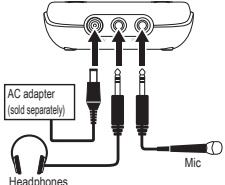
Text is baked into graphic instead of extracted
Since the manual contains graphics and figures (e.g. the above-mentioned tables) a pure markdown representation is not ideal for browsing and viewing. I also wanted something that would work reasonably well on mobile screens. There are a lot of static site generators that would work here, but I decided to use Zensical. One advantage is that it allows using certain formatting conventions that are often found in manuals but are not part of default markdown (like admonitions). The original manual uses these in several places (to give additional information or warnings).
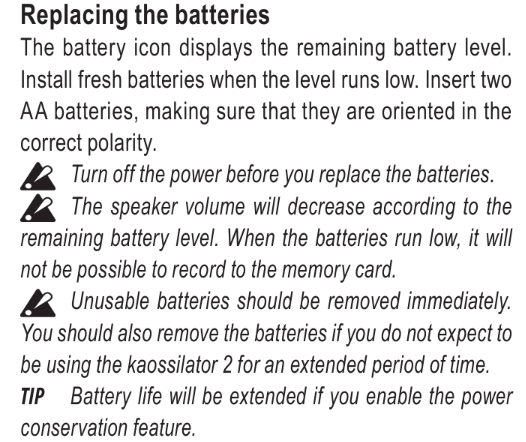
Admonitions in the manual
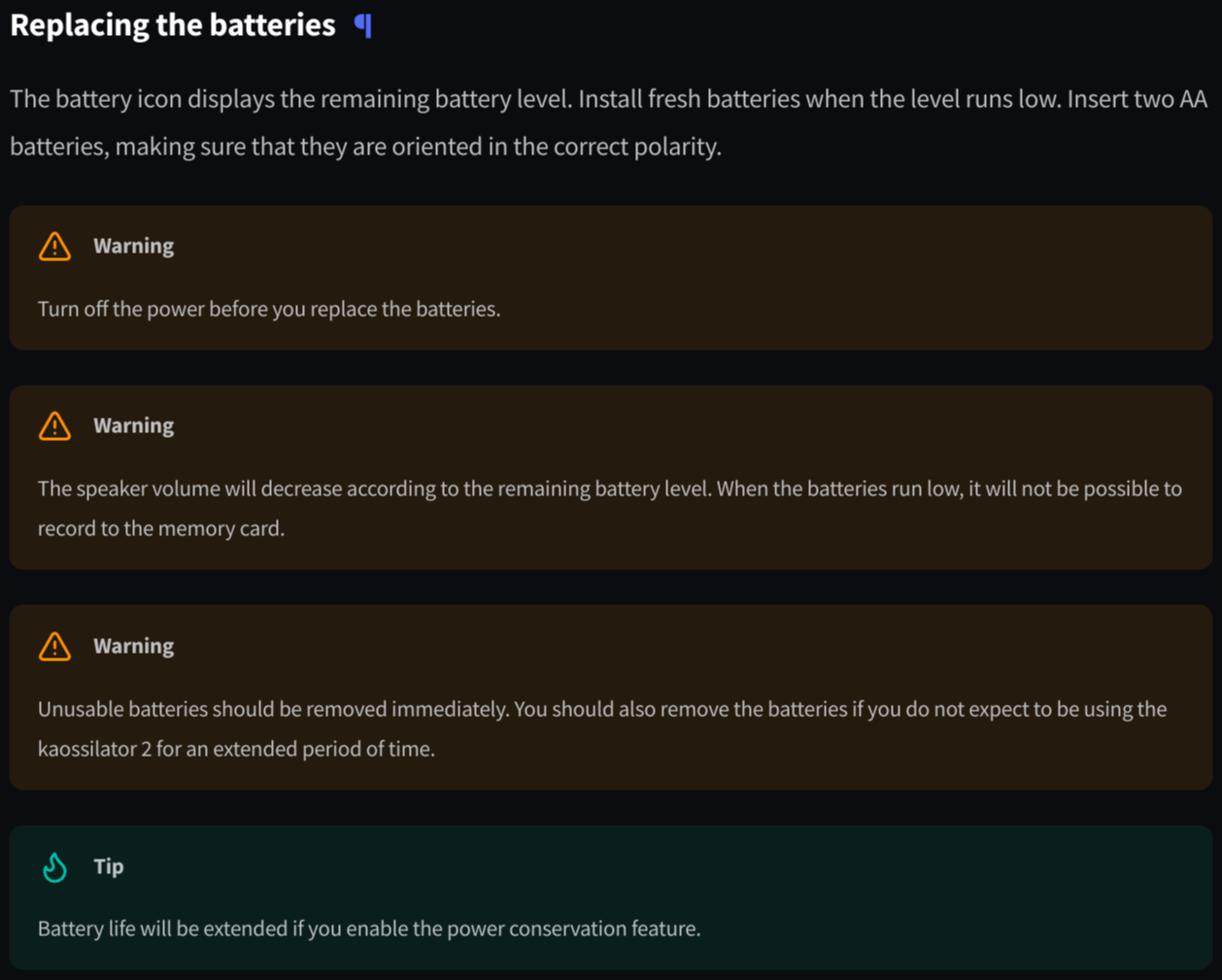
Admonitions in Zensical
Converting the whole thing took a few hours, which was a lot faster than I expected. Converting everything manually would’ve taken much longer. Since the manual doesn’t contain any personal information, I’ve decided to make it available publicly at https://kaossilator.sergeantbiggs.net. It will stay there for the foreseeable future (at least until Korg tells me to take it down). I hope it’s useful for someone. If you end up using it, feel free to let me know!